All work
Case study 03 · Healthcare · SaaS

An AI-powered medical record & clinical workflow platform that brings requests, messages and tasks into one calm place.
Role
Product Designer
Industry
Healthcare · Hospitals & clinics
Timeline
4 weeks
Platform
Web application
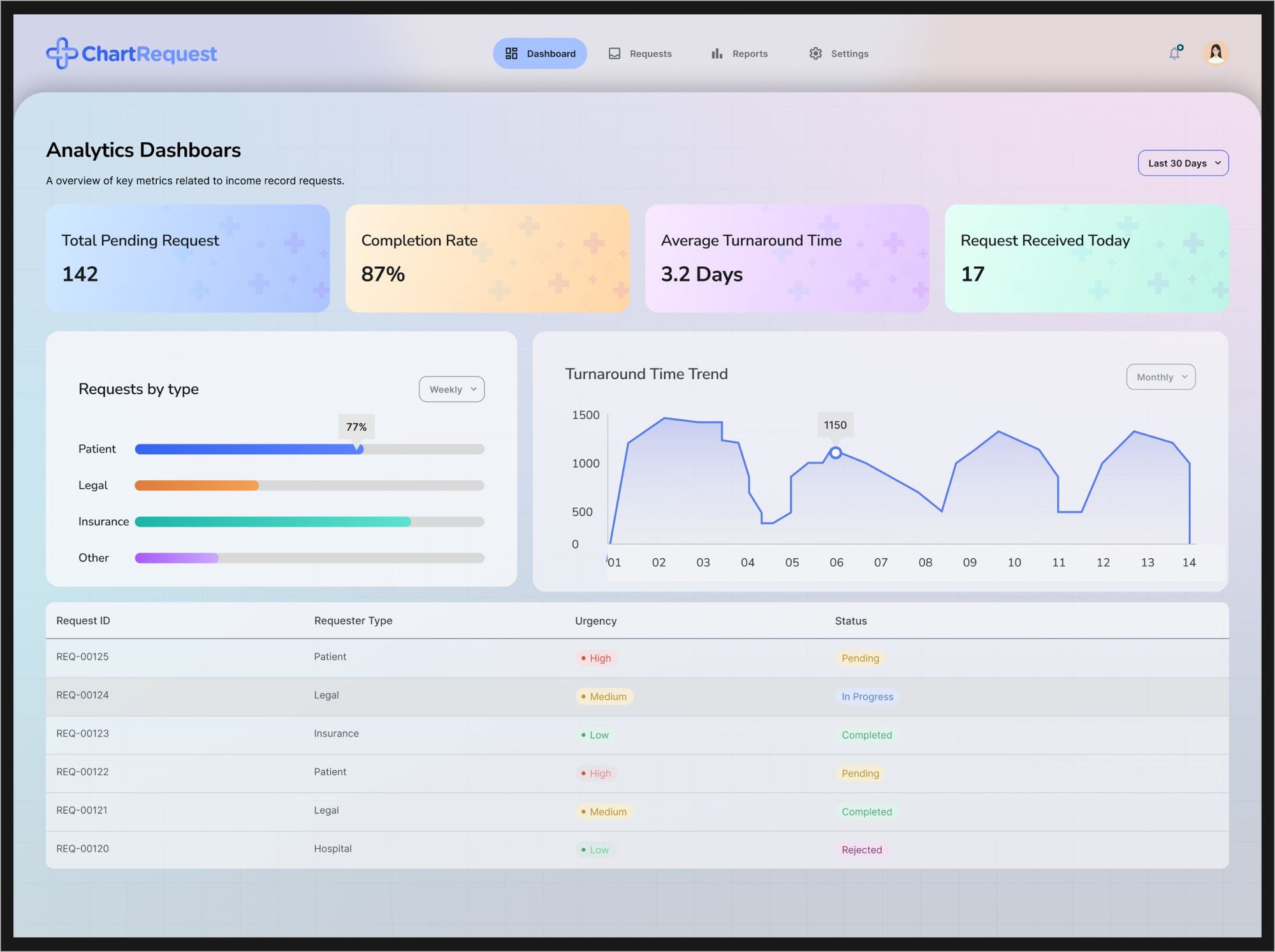
ChartRequest analytics dashboard: pending requests, completion rate, turnaround time, requests by type, turnaround trend and a request table
Project overview

Healthcare teams handle thousands of record requests, insurance documents and patient updates every month, spread across spreadsheets, email chains, PDFs and outdated portals. ChartRequest brings it all into one AI-assisted workspace.

Product 01

Record Management Dashboard

Operational workflows for reviewing and processing patient record requests, from intake to release.

Product 02

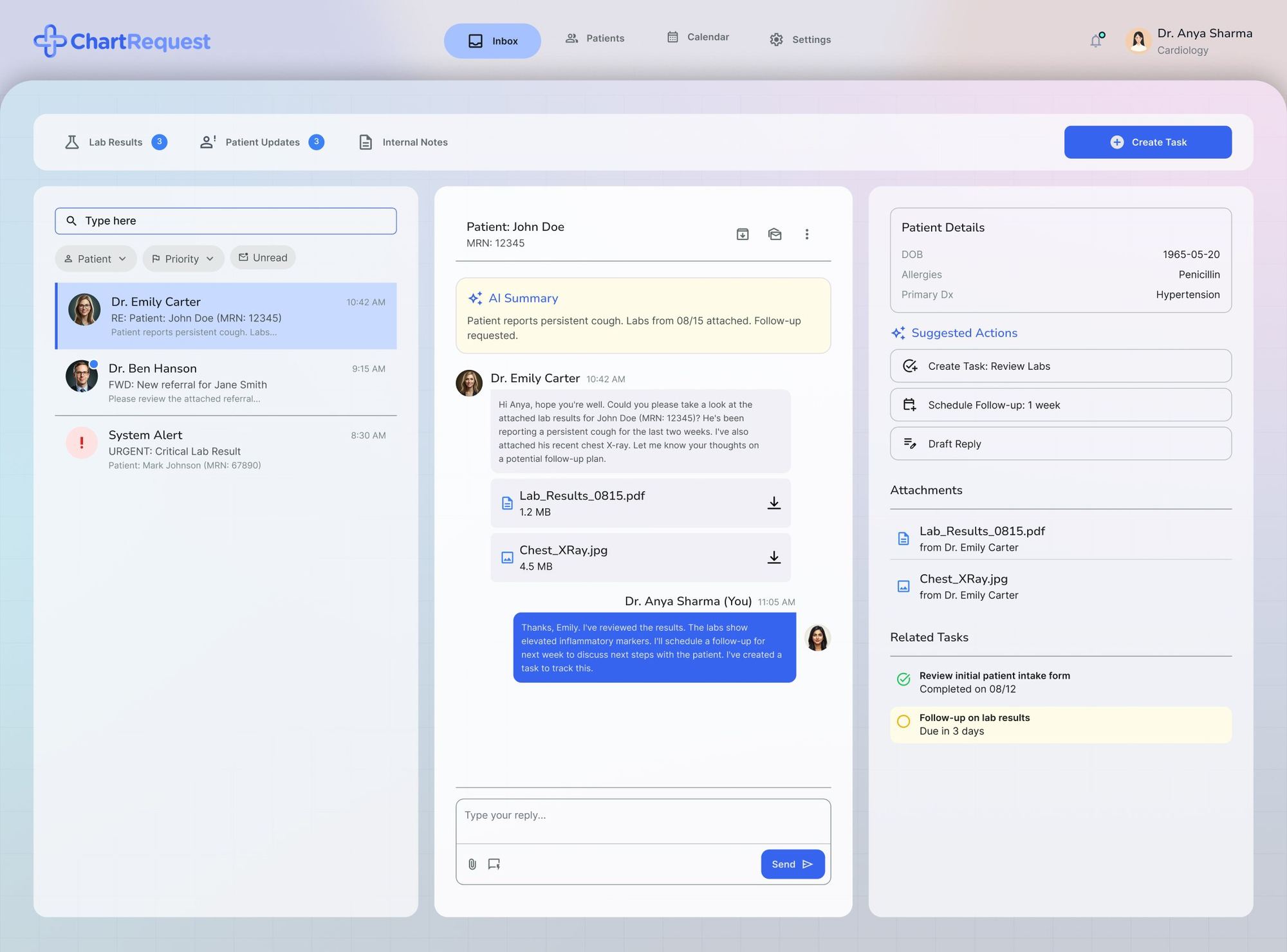
AI Inbox for Clinicians

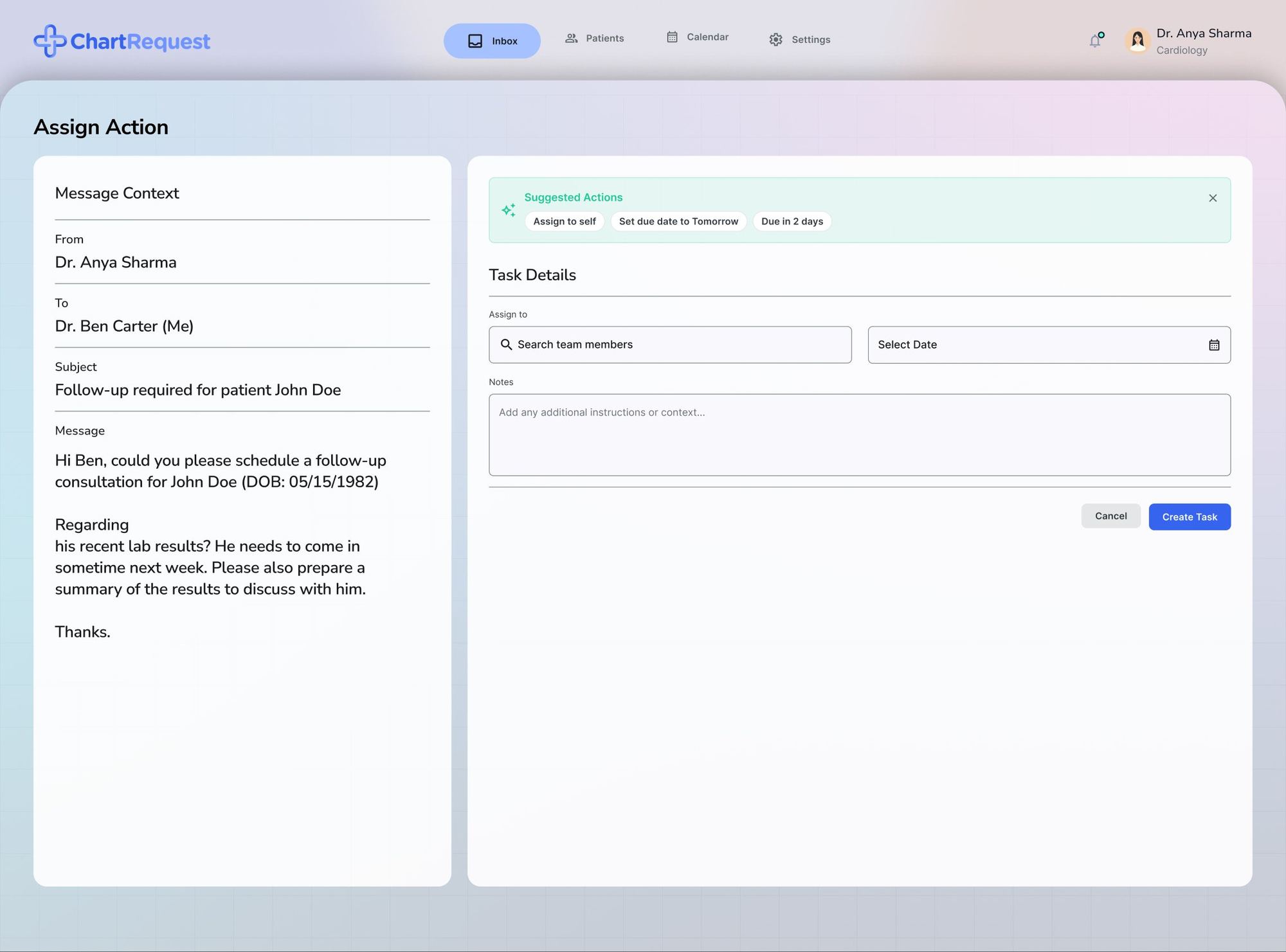
Intelligent communication management, task creation and AI-assisted actions, so nothing urgent gets buried.

The problem

Too many tools, too little visibility.

Fragmented systems slowed processing, created compliance risk, buried patient updates and piled repetitive work onto clinicians already under pressure.

Challenge 01

Fragmented workflows

Teams switched between emails, PDFs, spreadsheets and internal systems to finish a single request.

Challenge 02

Compliance complexity

Missing authorisation forms and incomplete documentation caused delays and legal risk.

Challenge 03

Communication overload

Clinicians received patient updates, lab reports and internal notes with no prioritisation.

Challenge 04

Manual, repetitive actions

Most workflows needed the same validation and follow-ups, done by hand, again and again.

Business goals

Target outcomes we designed for
Reduce request turnaround time−40%
Improve compliance visibility+35%
Reduce operational overhead−30%
Improve clinician efficiency+45%
Reduce missed follow-ups−50%
Improve workflow transparency+60%
Research & discovery

Speed mattered more than visual complexity.

I studied how records teams and clinicians actually work, mapped their stories, and reviewed enterprise dashboards and competing products.

Workflow analysisHealthcare operations studyEnterprise dashboard analysisCompetitive reviewUser-story mapping
200Requests a records team reviews every single day, often 100 to 200.
Finding 01

Staff process large volumes daily

Records teams move through 100 to 200 requests a day, so every extra click is multiplied.

Finding 02

Clinicians work under cognitive pressure

They constantly switch between patient conversations, reports and tasks.

Finding 03

Users need faster decisions

Operational speed mattered more than visual complexity.

Finding 04

Missing documents are common

Authorisation forms and ID proofs often arrive incomplete.

Finding 05

Existing systems lack prioritisation

Urgent updates were buried inside large, flat inboxes.

User personas

Two people, two very different days.

One clears a backlog of record requests. The other juggles patients, reports and tasks. The platform had to make both faster without making either think harder.

Medical Records Custodian

Clears the request backlog

Goals

  • Review requests quickly
  • Reduce the backlog
  • Stay compliant
  • Track request status

Pain points

  • Too many repetitive tasks
  • Hard-to-track documents
  • No visibility of request status

Clinician

Juggles patients and tasks

Goals

  • Spot urgent updates fast
  • Manage tasks efficiently
  • Reduce inbox overload

Pain points

  • Message fatigue
  • Missed follow-ups
  • Too many disconnected systems
Product strategy

Three principles behind every screen.

The third one is close to our own studio belief: AI supports the decision, a human makes it.

1

Reduce cognitive load

Simplify complex workflows into highly scannable interfaces.

2

Keep users in context

Avoid unnecessary navigation and context switching.

3

Use AI as an assistant

AI supports decisions rather than replacing the people who make them.

User flows

Three core journeys
Smart record request review
  1. Start
  2. Request list dashboard
  3. Approve · Reject · Request info
  4. Summary dashboard
  5. End
Clinician inbox
  1. Inbox overview
  2. Message detail
  3. Categorise
  4. Create task
  5. Task overview
Patient upload
  1. Start
  2. Instructions
  3. Upload authorisation form
  4. Error check
  5. Confirmation
UI designs

The AI inbox, screen by screen.

A smart inbox ranks what matters, an AI summary explains each message in one line, and suggested actions turn a message into a task in two clicks. Pick a screen.
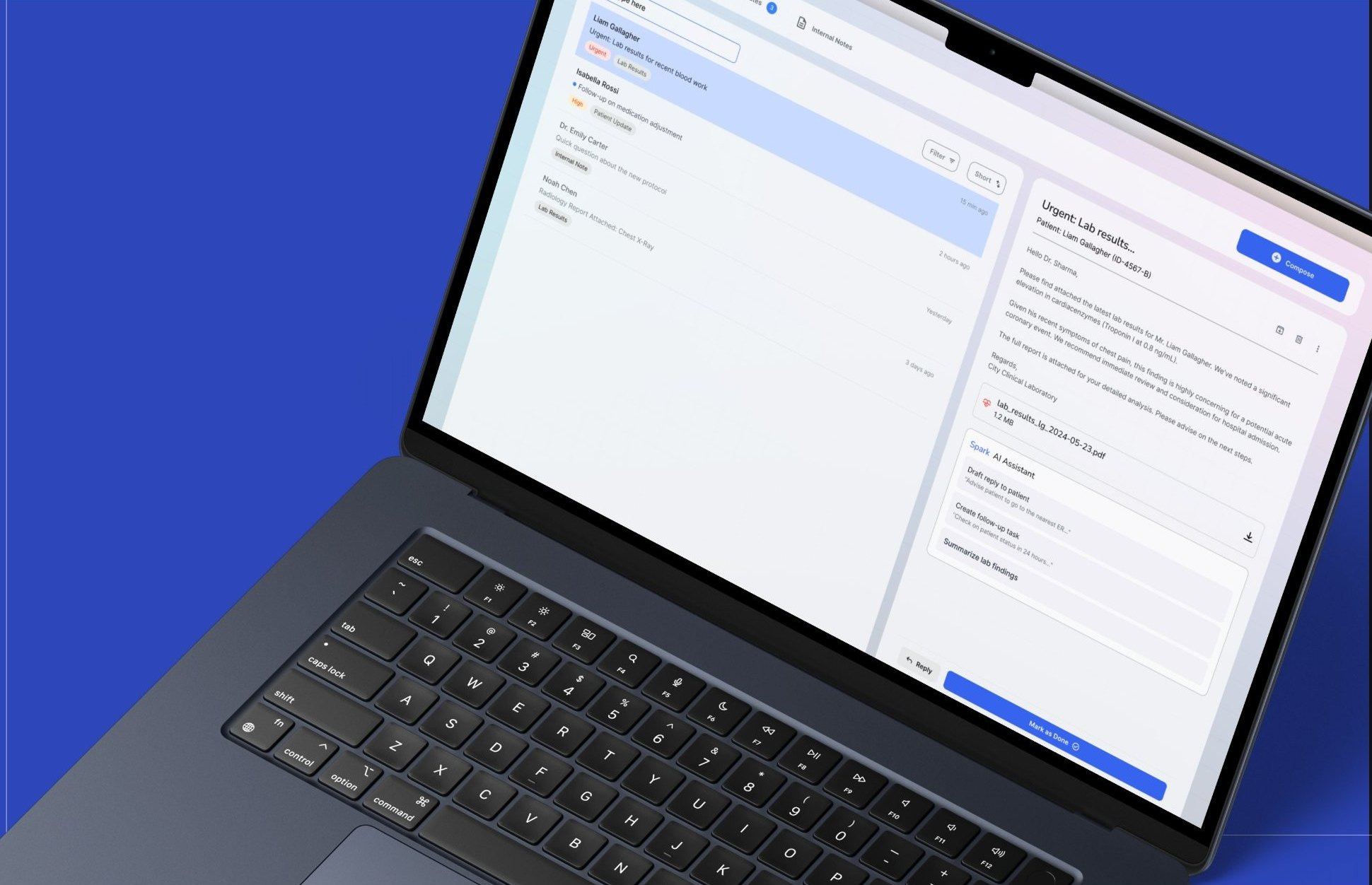
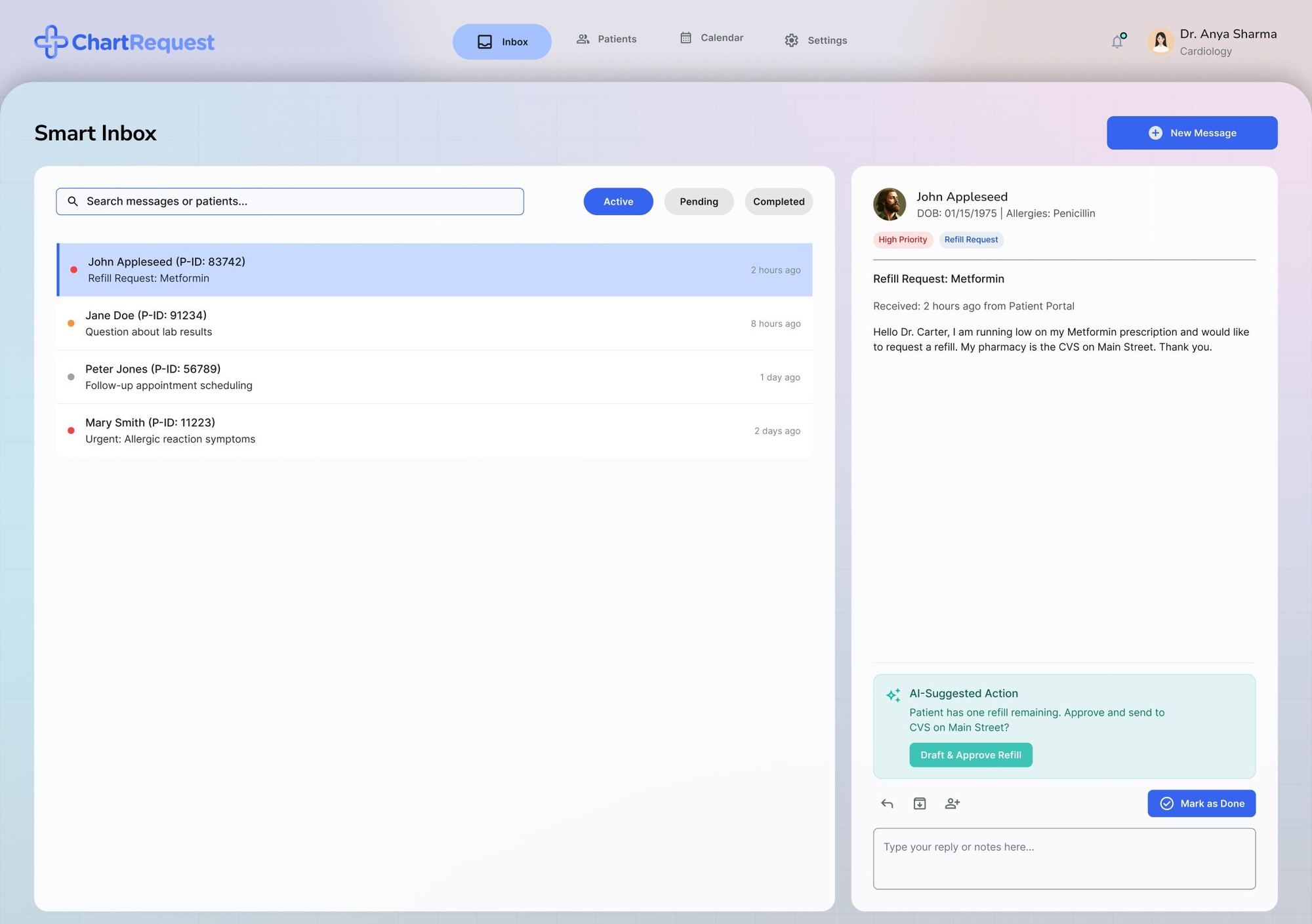
ChartRequest message details screen on a laptop
Smart inbox with active, pending and completed tabs, a prioritised patient list and an AI-suggested refill action
Prioritised patient messages with an AI-suggested action, like approving a refill, ready in one click.
+52%Inbox efficiency
+60%Critical visibility
−30%Cognitive load
+45%Message understanding speed
+40%Follow-up efficiency
+38%Task accuracy
Design system

Calm, clinical, and easy to scan.

A clean enterprise type system for dense healthcare workflows, a trust blue for action, and status colours that always come with a label or icon, never colour alone.

Nunito Sans

Rounded, open letterforms that stay readable in dense tables, long messages and small labels.

LightRegularSemi-BoldExtra Bold
Grid system
Web12 columns · 1920 × 1200
Column / gutter70 px / 36 px
Mobile2 columns · 375 px
Mobile gutter / margin24 px / 16 px
Challenges & solutions

Hard problems, simple answers.

Accessibility was built in, not added later.

Clear hierarchyLarge click areasStatus with text and iconReadable typographyReduced visual noise
ChallengeDense healthcare workflows
SolutionModular layout system
ChallengeHigh cognitive load
SolutionSimplified UI hierarchy
ChallengeAI trust concerns
SolutionHuman-controlled AI
ChallengeMultiple user roles
SolutionFlexible dashboard ecosystem
Final outcome

Faster teams, fewer errors.

By combining intelligent prioritisation, contextual communication, operational dashboards and compliance-focused workflows, ChartRequest helps healthcare teams work faster, make fewer mistakes and collaborate at scale.
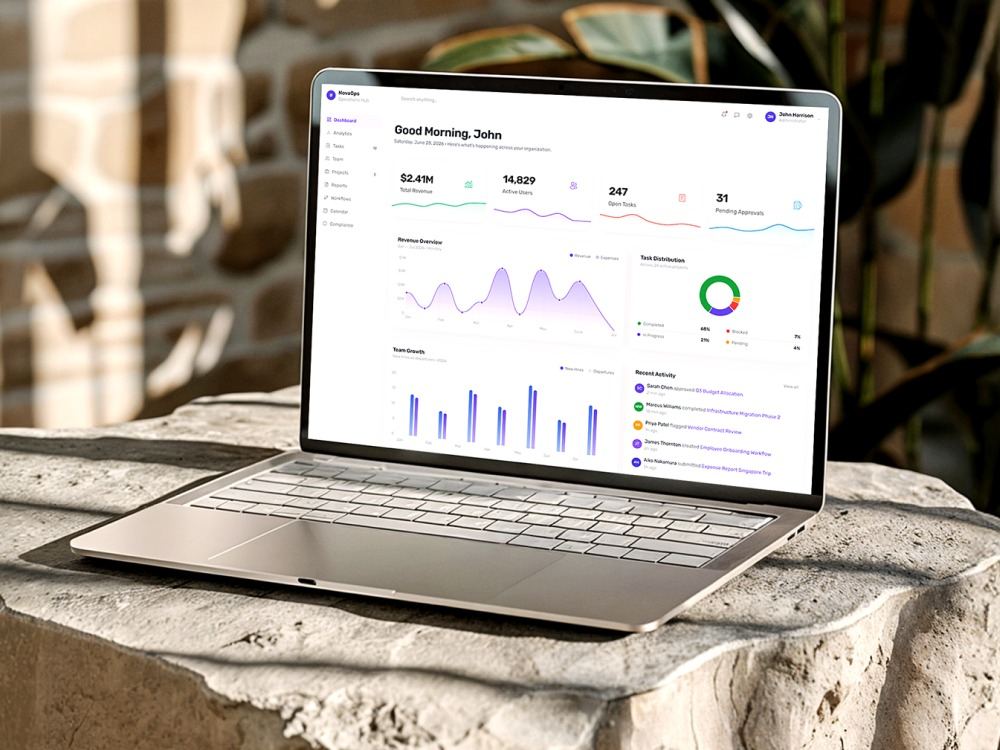
−40%Request turnaround time
−35%Manual workload
−50%Missing document errors
+45%Clinician efficiency
+60%Workflow visibility
+47%Follow-up completion
+38%User satisfaction

What this project taught me

Enterprise healthcare UXAI-assisted workflowsDashboard scalabilityCognitive-load reductionComplex operational systems