Money without a clear view
Maintenance dues, late payments and expenses live in different places, so the society balance is always a guess.
A society management dashboard where the building itself is the interface: flats, payments, complaints, staff and security in one calm panel.
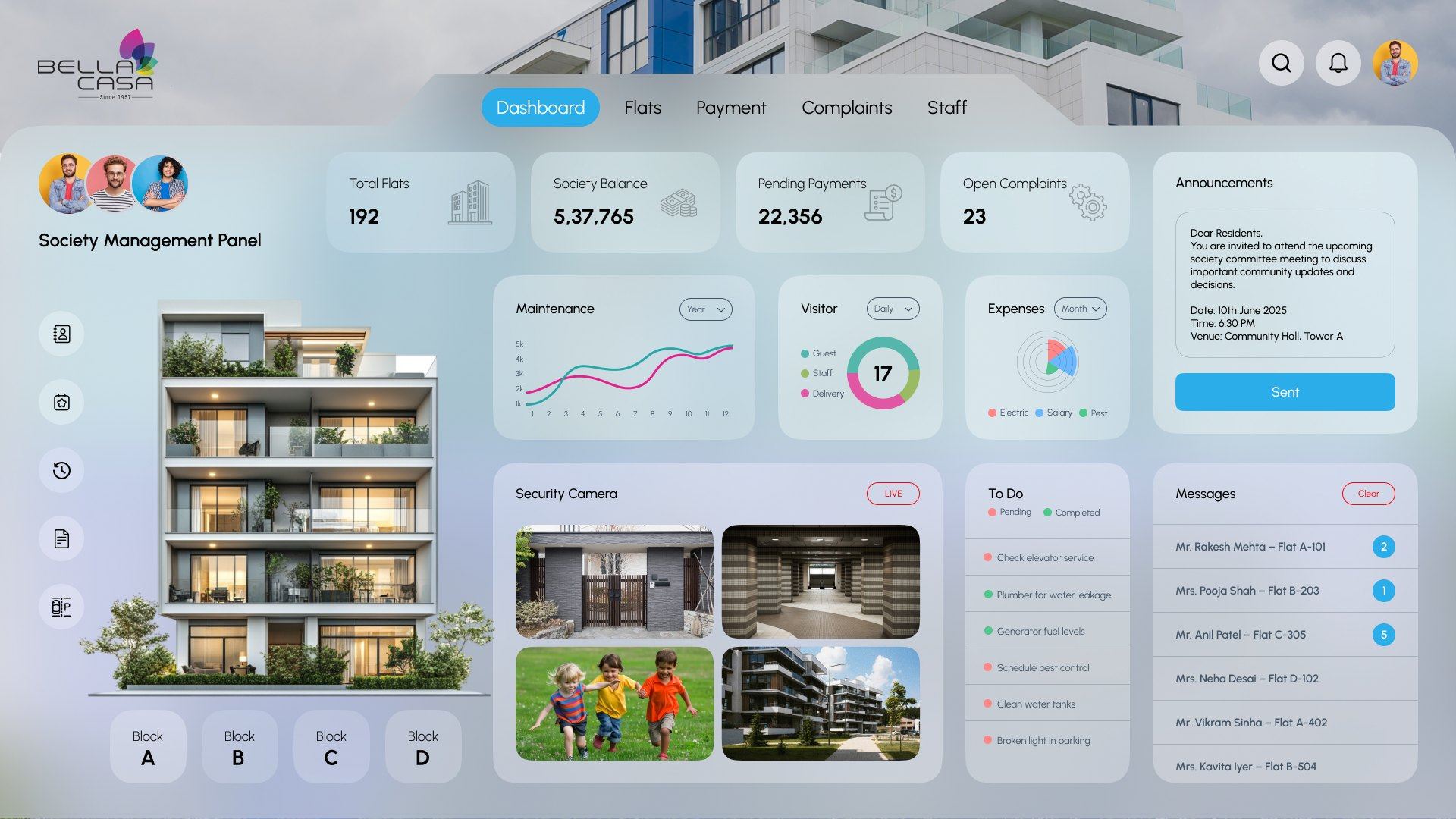
Running a housing society means tracking 192 flats, monthly maintenance, visitors, complaints, staff and expenses, usually across registers, spreadsheets and group chats. Bella Casa puts the whole society on one screen the committee can trust.
Committee members are residents with day jobs, not full-time administrators. The panel had to answer the questions they ask every day in seconds, without training.
Maintenance dues, late payments and expenses live in different places, so the society balance is always a guess.
Matching a flat number to a resident, a payment or a complaint means flipping through registers.
Complaints, repair jobs and resident messages arrive in chats and calls, with no single to-do list.
Visitors and camera feeds sit with the guard, not with the committee that is responsible for them.
Instead of hiding flats in a long table, the dashboard shows the actual building. Pick a block, point at a flat, and its story appears: who lives there, whether maintenance is paid, and who is visiting. Try it.
Interactive demo with sample data
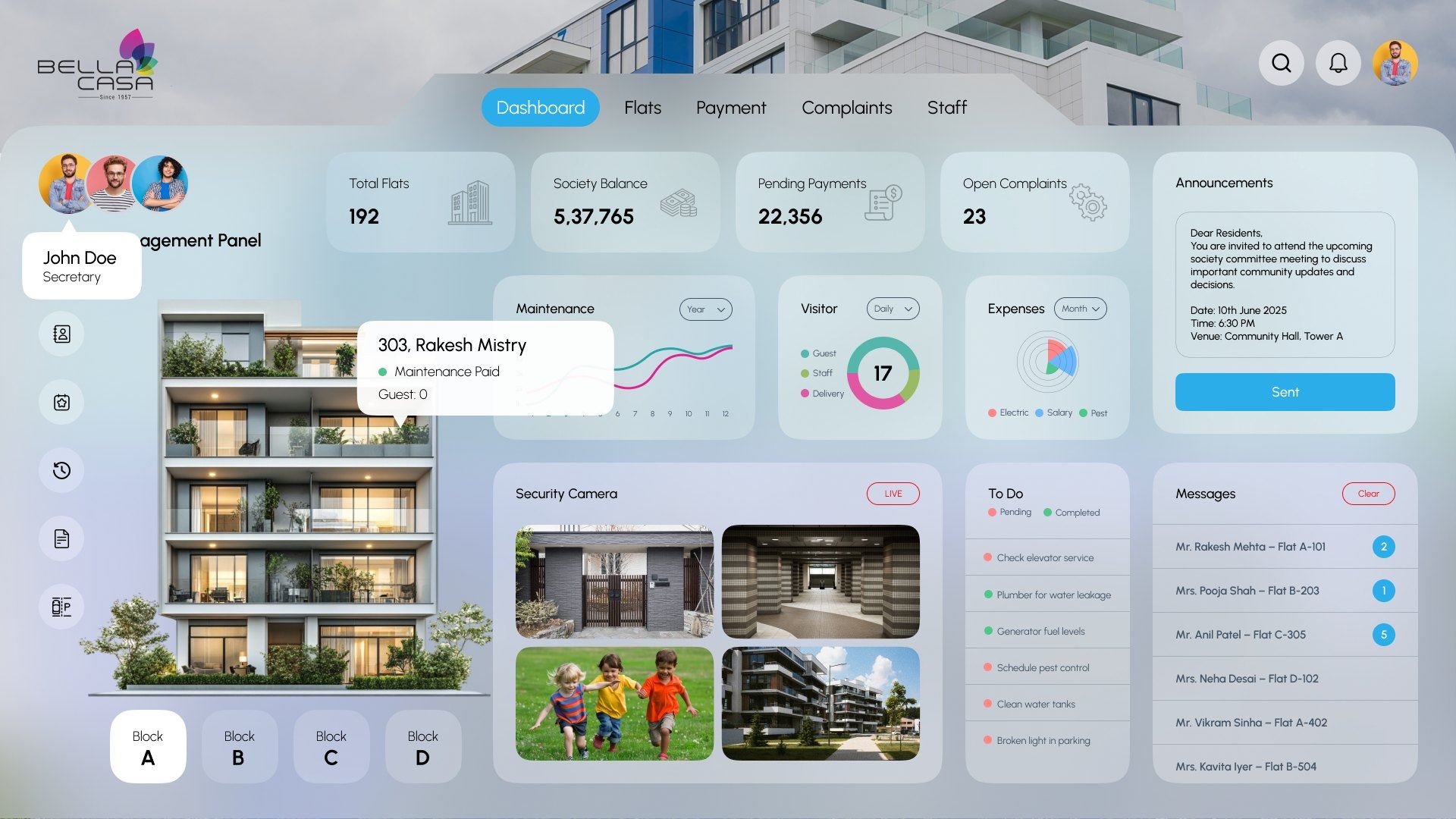
Ten zones, each answering one question a committee member would otherwise have to ask someone. Tap a number to see what it does.
Same shell, different focus. The KPI row switches to collections, charts show the monthly trend and payments by tower, and every pending row carries its own Remind action, so follow-ups happen from the table, not a phone.
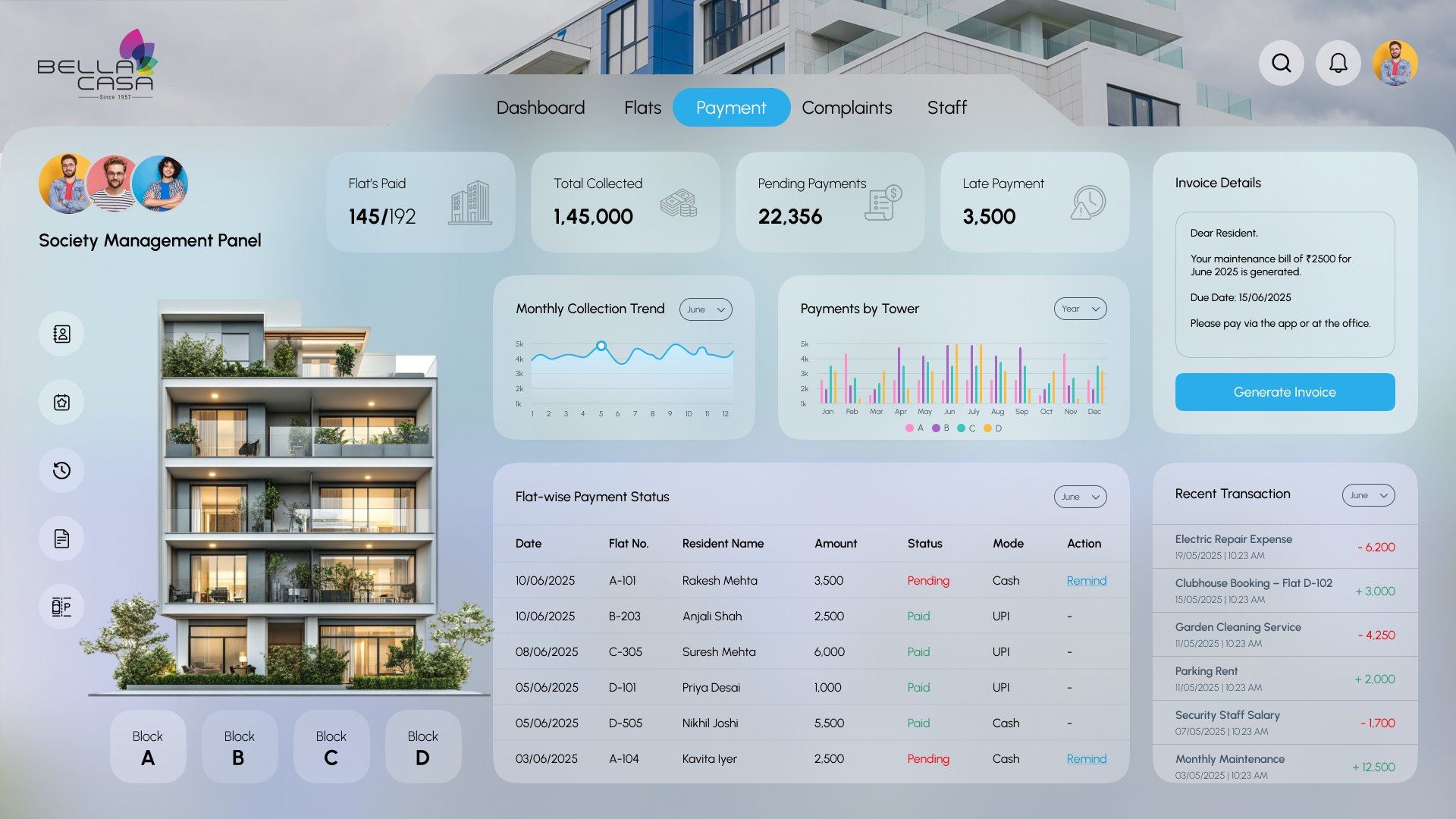
Progress against the whole society, not just a total.
Every pending row gets one tap to nudge the resident.
Spot which block is falling behind each month.
Preview the maintenance bill, then generate it for everyone.
The interface floats on frosted glass over a photo of a residential tower, so it feels like the society's own home, not generic admin software.
Committee members think in towers and floors, so the main view is the building itself. Tables stay one click away in the Flats and Payment modules.
Frosted cards over the society photo keep the brand present while text sits on calm, high-contrast panels.
Each card has at most one primary action, Sent, Generate Invoice, Remind or Clear, so nobody has to guess what to press.
Sky blue marks the single primary action on every screen. Softer accents separate chart series and statuses, always paired with a label.
A geometric sans with soft, open shapes that keeps numbers and resident names easy to scan on glass surfaces.
Web dashboard. The main pieces of the final design:
Building something similar? Tell me about it →